How Revio works
Loyalty cards, online orders, bookings and a link page. All in one account. No app for your customers.
Everything you get with Revio
One account and one price. Tap a box to see how it works.
- Loyalty cardStamps or points in Apple Wallet and Google Wallet. VIP levels too.
- Online orderingYour own QR menu for pickup, delivery or dine-in. No fee per order.
- Online bookingA booking page with your name, and a reminder on the card.
- Link pageOne link for your Instagram bio, like Linktree. Card, menu and map.
- Messages on the cardWelcome, we miss you, happy birthday. Revio sends them for you.
- Scanner for staffAny phone scans a card in 2 seconds. It works with no signal too.
- New guestsBring a friend, rewards for Google reviews, and games with your logo.
- Your numbersWho came back, who is late, your busy hours, and what each message brought.
What is on the card
One card lives in your customer’s phone. Here is what each part does.
Front

Stamps
6

Progress
6/9 stamps
Reward
Get a free order
4021 8837 1190
- 1Your logo.
- 2Stamps so far. It updates the second staff scan.
- 3Your own photo.
- 4How close they are, and the reward they want.
- 5The code your staff scan. No app needed.
Back
Tim's Coffee Roasters
Thanks for coming in! 3 more stamps to a free order.
Refer a Friend (Code: SARA20)
app.reviocard.com/join/…?ref=SARA20
Leave a Google Review & Earn
app.reviocard.com/review/…
Contact us
Cairo · tap to call
Terms & Conditions
One stamp per visit. Reward ends after 90 days.
- 1Your latest news. Change it any time. It also shows on the lock screen.
- 2A friend link. Each friend who joins is a new customer.
- 3A review link that gives a treat for a Google review.
- 4Your phone and address, one tap away.
- 5Your rules, so staff never have to argue.
Customers join your loyalty card
From scan to wallet in under a minute. No app to download.
- 1
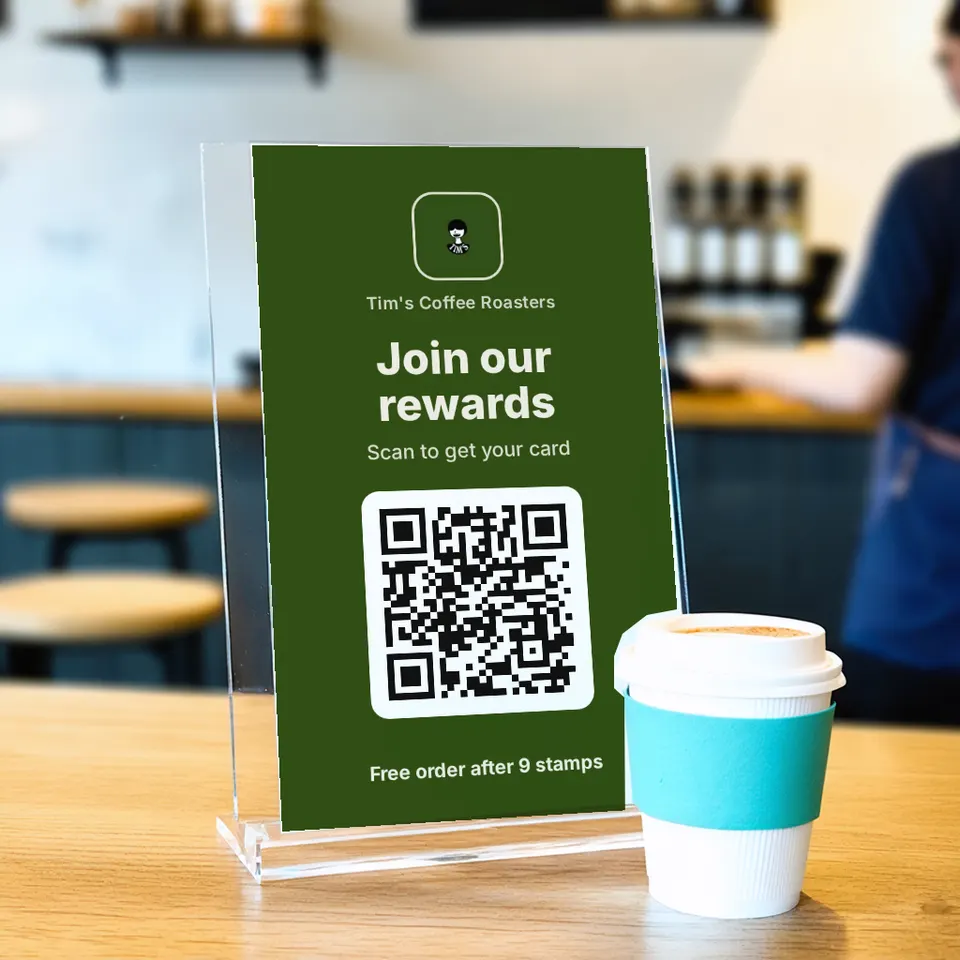
Scan the code
Scan the QR code at the counter. The sign-up page opens. No app to download.
- 2
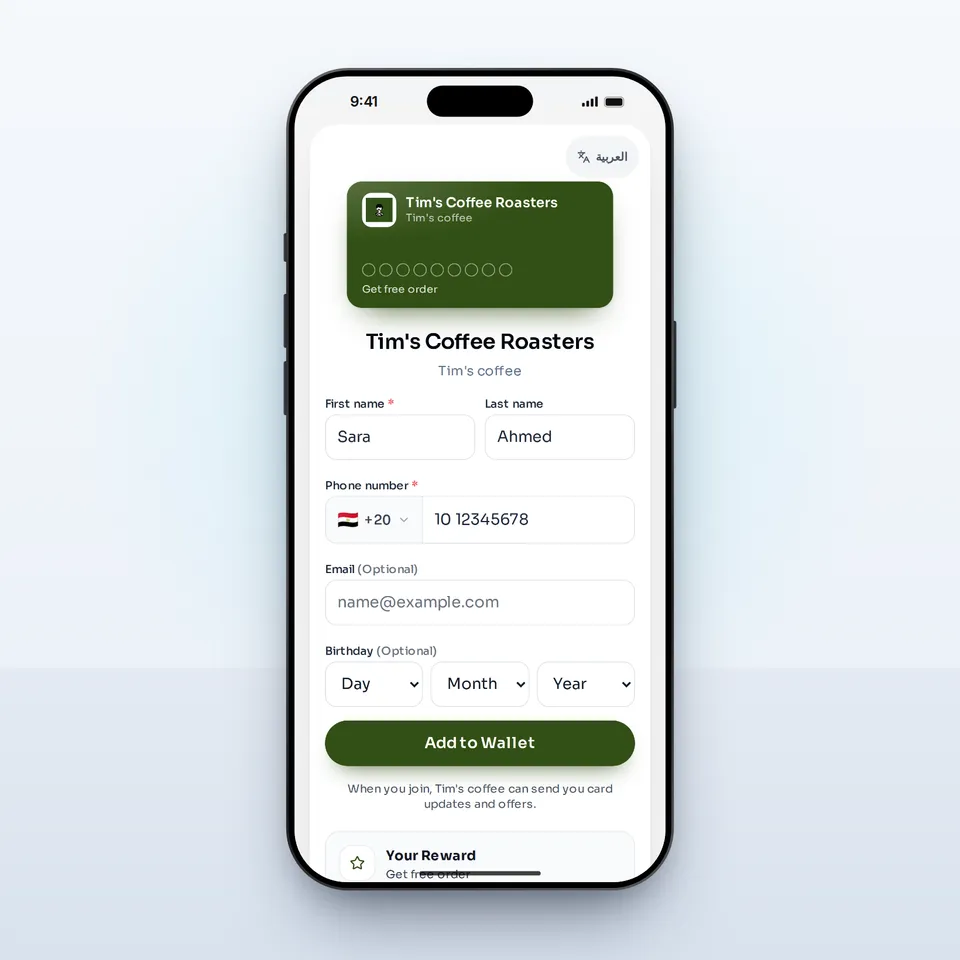
Add your details
Type your name and phone number. It takes a few seconds.
- 3
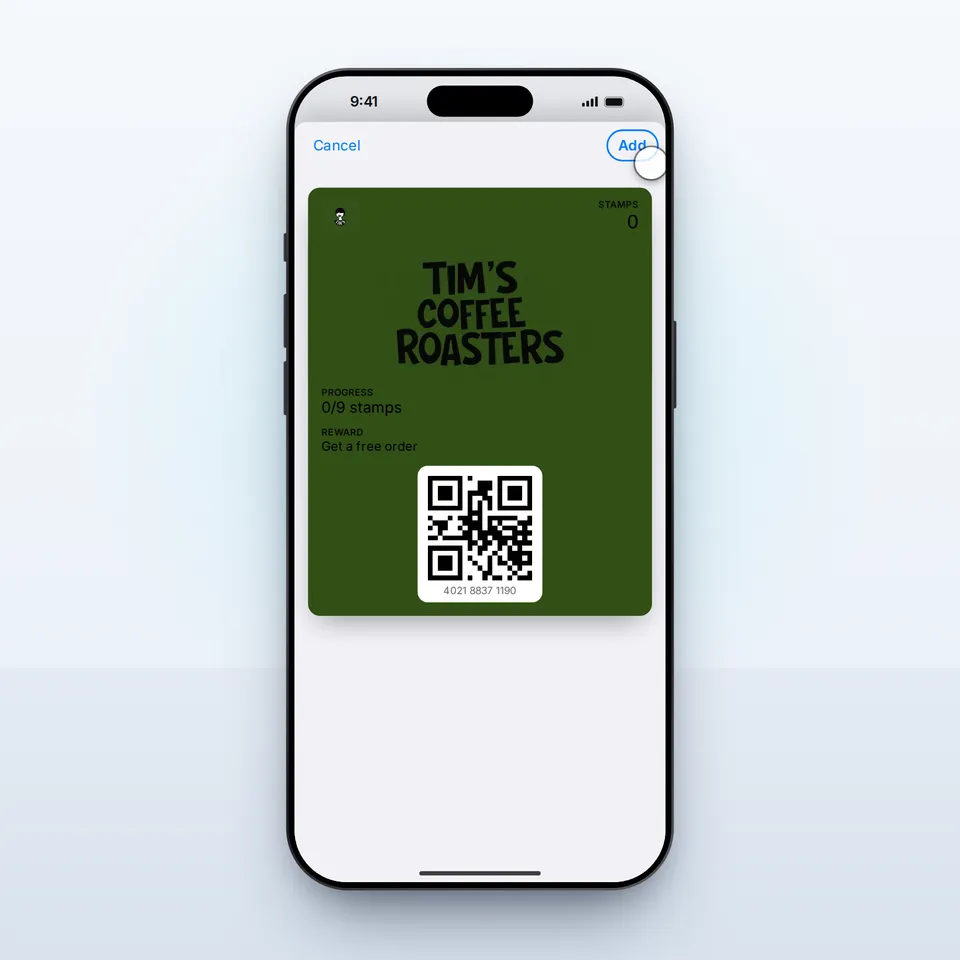
Save it to your wallet
Tap Add. Your card lives in Apple Wallet or Google Wallet. It is always with you.
Customers order from their phone
Your own menu, with points on every order. No delivery app fees.
- 1
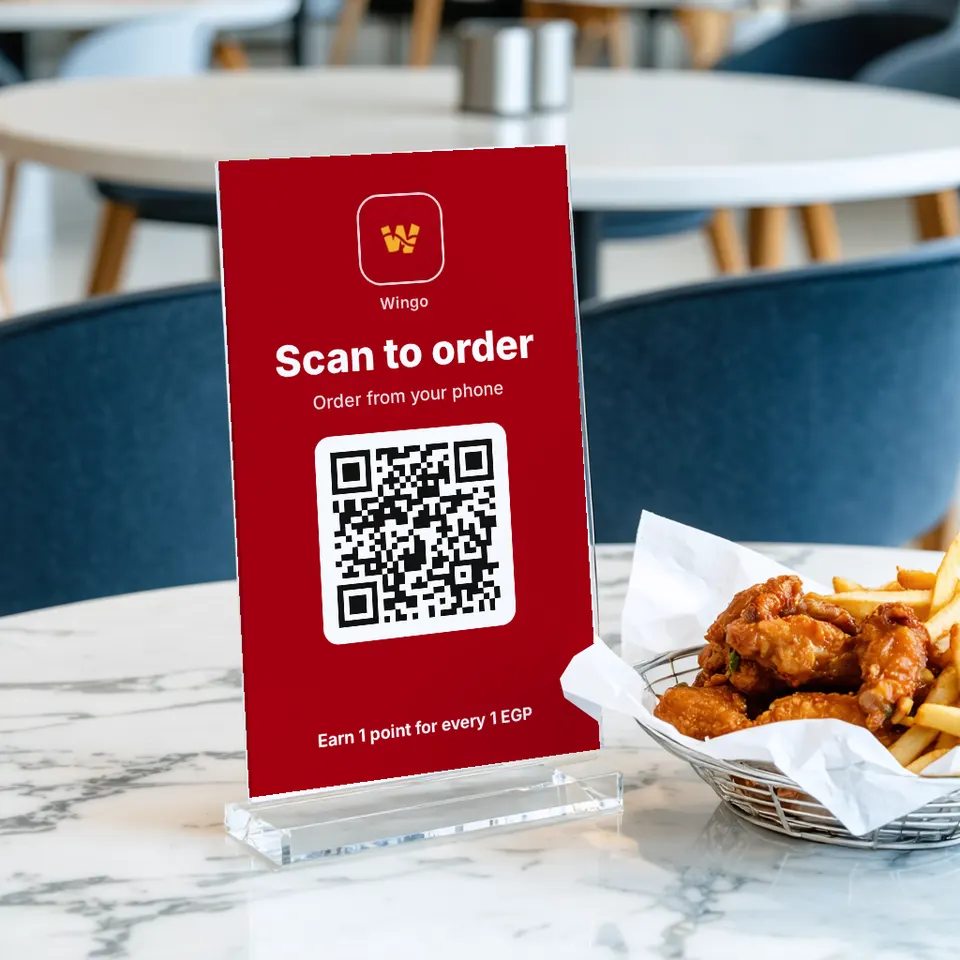
Scan the code
Scan the QR on the table, or tap your link. The menu opens. No app.
- 2
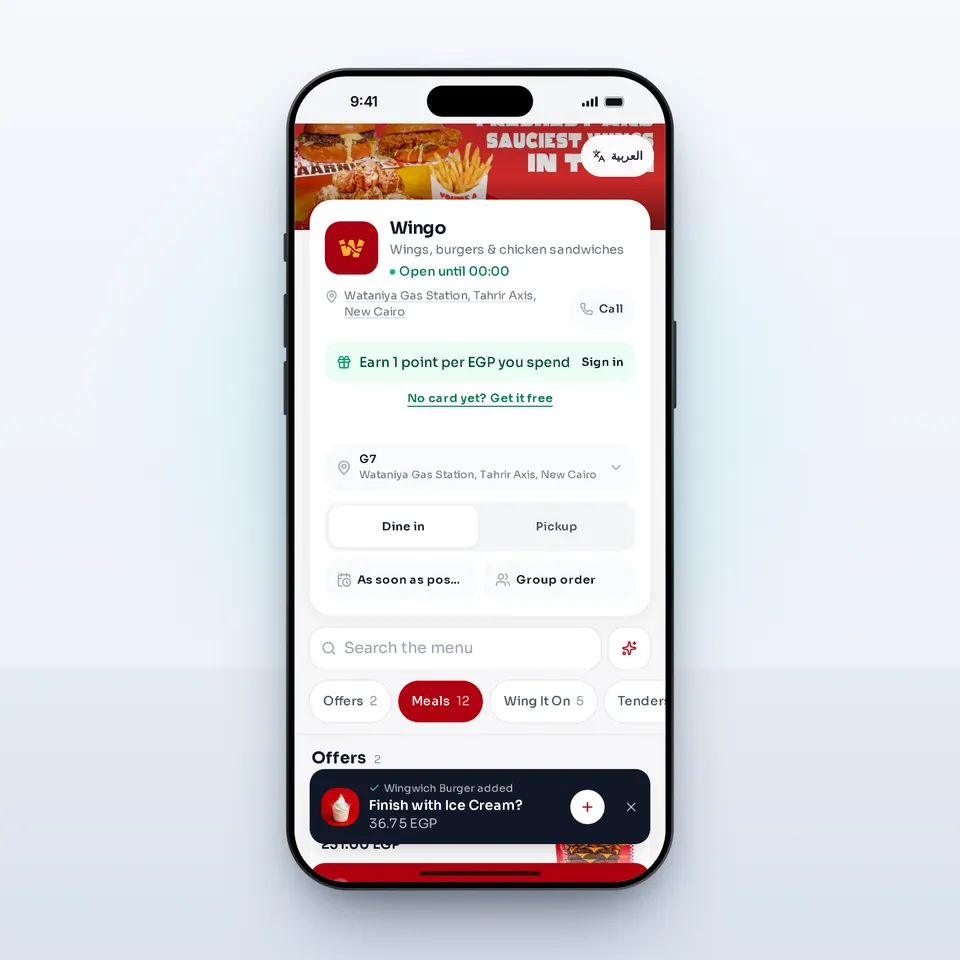
Pick the food
Tap what you want and add extras. The total is always on screen.
- 3
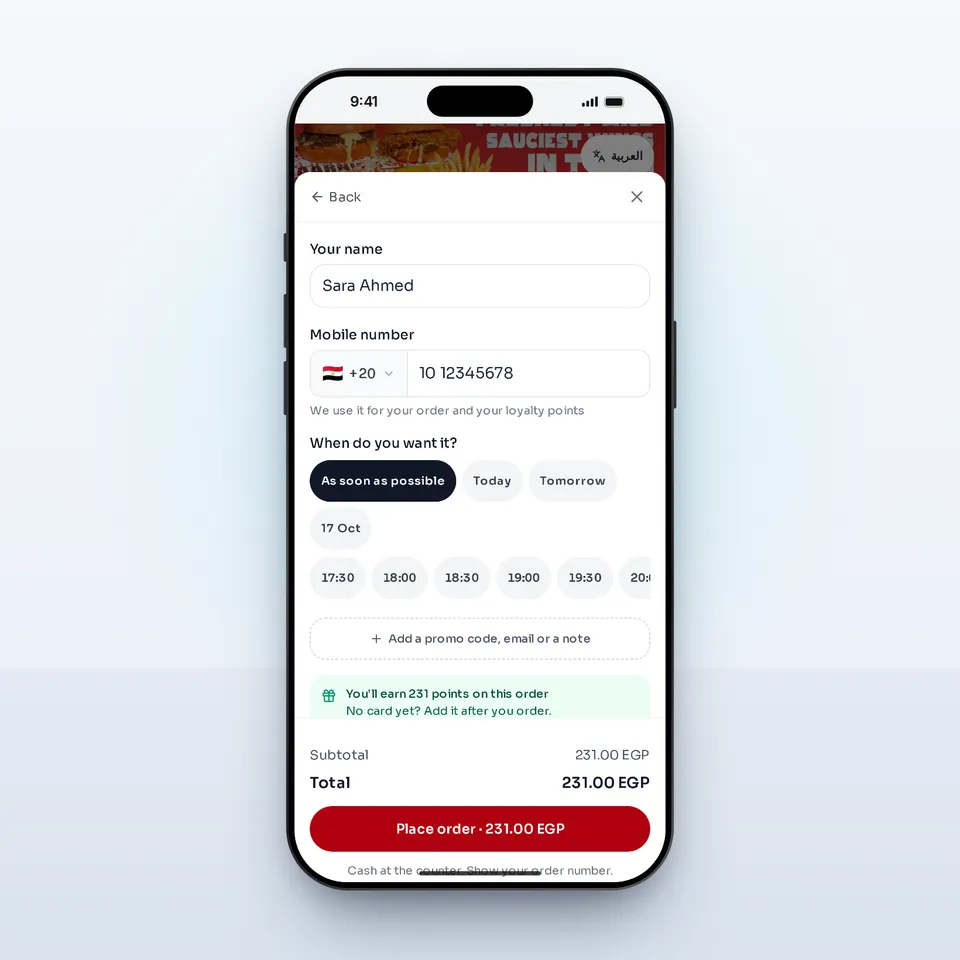
Order and earn points
Add your name and phone, then place the order. Points go on your card.
Customers book a time in seconds
No calls, no messages back and forth. A stamp after every visit.
- 1
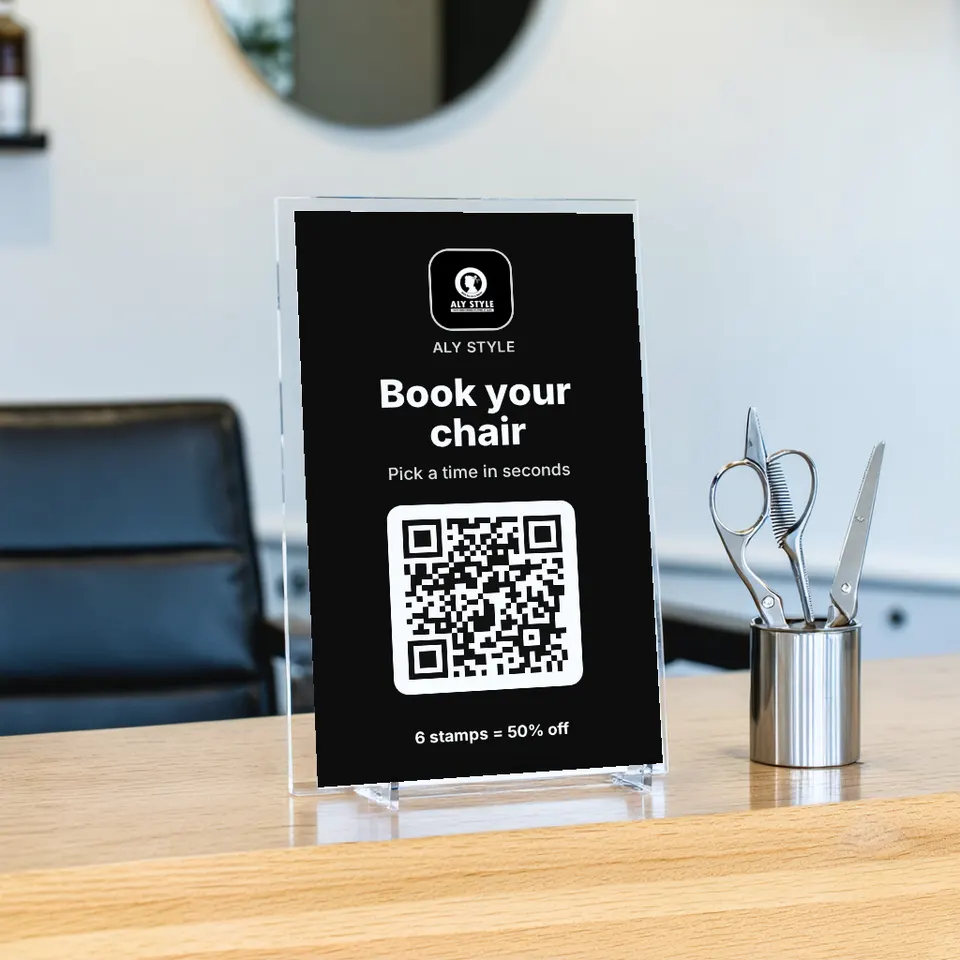
Scan or tap the link
Scan the code at the shop, or tap the link on Instagram. The booking page opens.
- 2
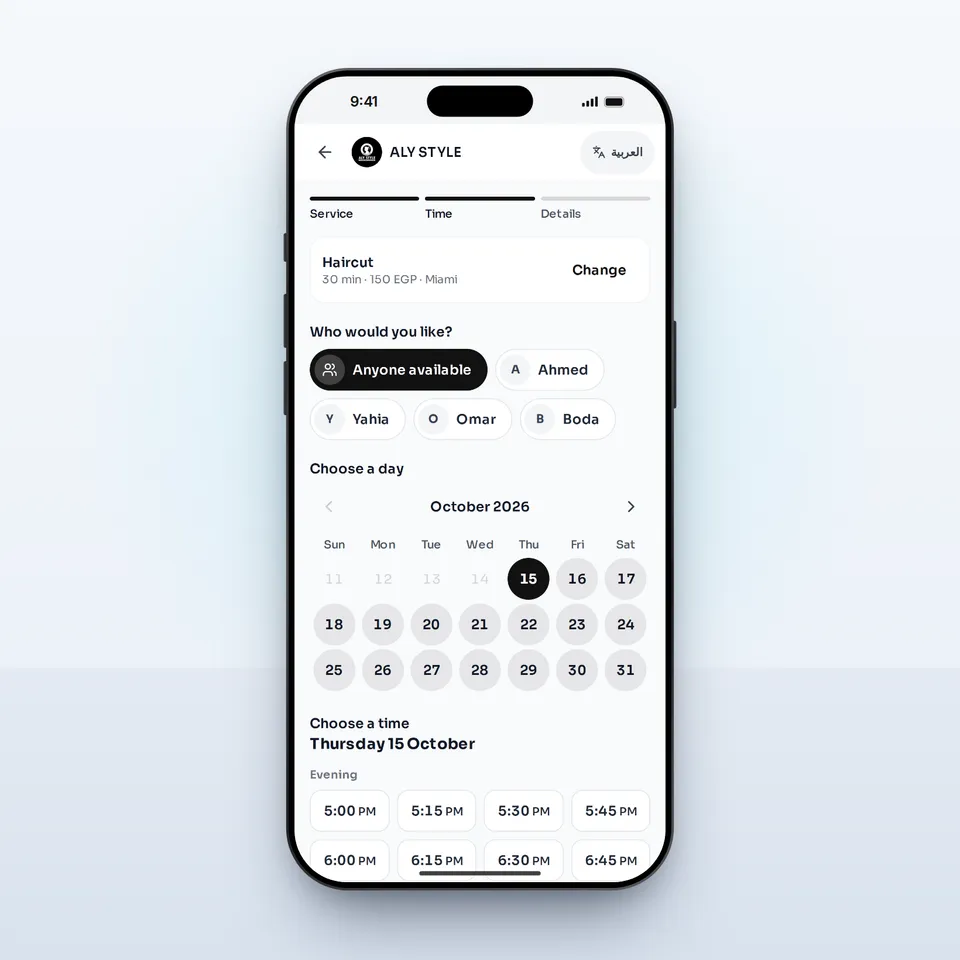
Pick a service and time
Choose the service, who you want, and a free time.
- 3
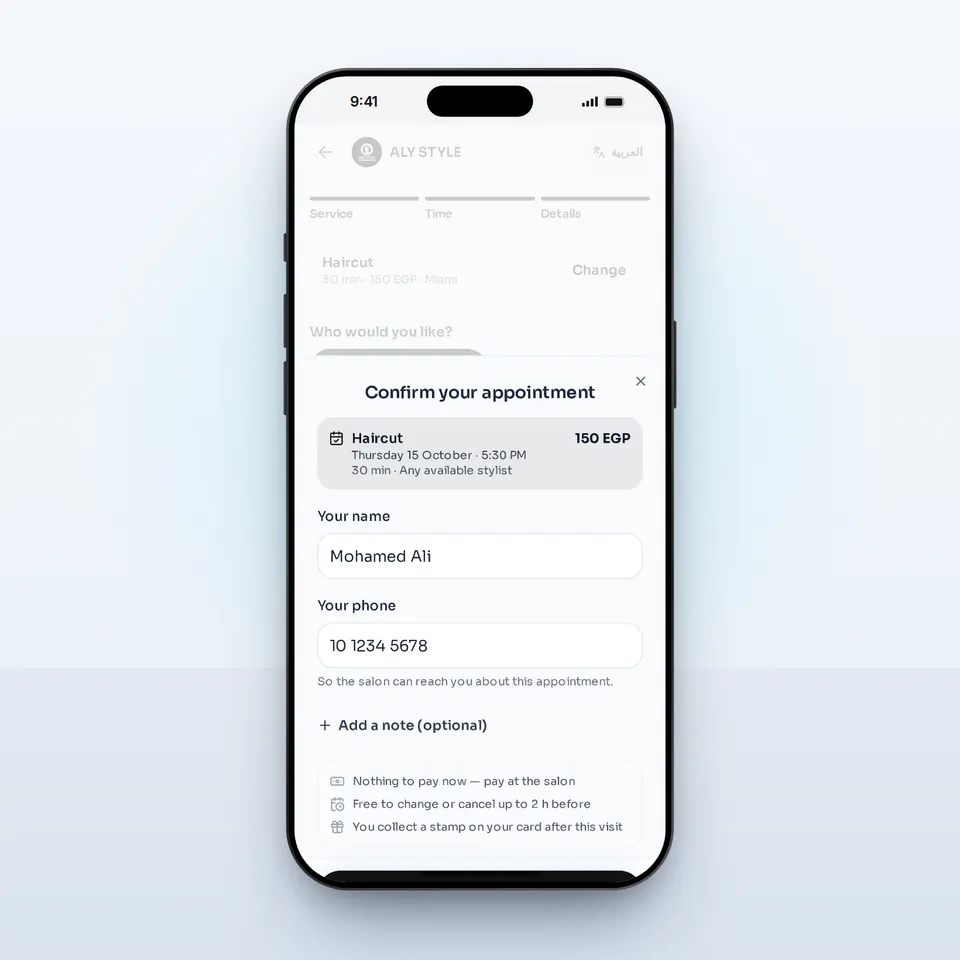
Confirm in seconds
Add your name and phone. Nothing to pay now. You get a stamp after your visit.
Your link page, like Linktree
One link for your Instagram bio. Your card, menu, map and socials, all in one place.
- Your card comes first, so new guests join in one tap.
- Add your menu, branches, WhatsApp, reviews and more.
- Your colors and your logo. Change it any time.
- Get a QR code for it to print at the counter.

Wingo
Discover our delicious menu and find your nearest location for pickup or delivery. Explore more below!
Locations(4)
North Coast(4)
 Powered byRevio
Go live today. Two ways.
Pick the one that suits you.
We set it up with you
Leave your details. We call you, show you Revio, and build your card on the call.
Do it yourself
Make your card in about 2 minutes. Find your shop on Google and we fill in the rest.
- Your logo and colors, done for you
- Try the card on your own phone
- Start with your first guest today
From $25 a month. Cancel any time.